Showing posts with label Software. Show all posts
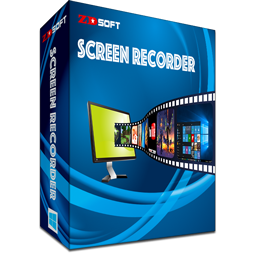
ZD Soft Screen Recorder

ZD Soft Screen Recorder


Welcome to use ZD Soft Screen Recorder - Extremely fast HD screen recording software for Windows


  • GPU accelerated screen recording technology - Much less lags than most other screen recording software in the market.
  • Perfect audio / video synchronization - Which can be difficult for some other screen recording software in the market.
  • Capable of capturing DirectX / OpenGL game screen - Which can be difficult for general screen recording software.
  • Cool dynamic zooming effect - Draw viewer's attention to someplace on screen by pressing the zooming hotkey.
  • Live screencasting - Live stream your screen to a video website (Twitch / YouTube) or broadcast your screen via LAN.
  • Popular video formats supported - High quality video output in MP4 / FLV / AVI file formats with H.264 and AAC codecs.
  • Long duration screen recording - Benefited from real-time video encoding you can record for over 48 hours or more.
  • Fully customizable recording options - Make it possible to get various kinds of screen recording tasks done.
  • Easy-to-use software UI design - A user-friendly step-by-step wizard can guide you to get Image result for zd soft screen recorder

Installing Internet Download Manager Full v6.25

Installing Internet Download Manager Full v6.25

INSTALLATION GUIDE:

Installing Internet Download Manager is not too difficult, but it is difficult for those who are novice computer users. Hence, to use this utility, you must conduct following setup steps:

Step 1: Open the setup file.
If your computer does not have this file, you can download the latest version of Internet Download Manager here.

Select the IDM.exe file. There will be a window which notifies the first step to install Internet Download Manager. ClickNext.
install Internet Download Manager
Step 2: Click Next. This means you agree with necessary terms to install Internet Download Manager.
install Internet Download Manager
Step 3: The utility requires you to save the installation in the default folder, the C: drive or you can click Browse to select the folder you want to place the setup file.
Internet Download Manager
Continue clicking Next.

Step 4: With remaining steps, you just need click Next, then the utility will help you install Internet Download Manager.

Finally, select Finish to finish the setup.
Internet Download Manager

The install process of Internet Download Manager finishes. It will have the interface as the following picture.
Internet Download Manager


  • How to patch Internet download manager

1>= Open Internetdownloadmanager.rar
2>= Open Patch folder and copy to past in C:program file > Internetdownloadmanager > past
enjoy::!!
Hope that this turtorial on the way to install IDM will help you install it more easily.

Wish you success!
Adobe Photoshop CS5

Adobe Photoshop CS5


Notes

You must own a full version of Adobe Photoshop CS5 to install this update.
How to Turn Audio into Text Free with VoiceBase

How to Turn Audio into Text Free with VoiceBase

Image result for audio to doc


How to Turn Audio into Text Free with VoiceBase

Last time when I interviewed our guest Chris Pirillo, I needed an app that 
could convert an audio file with his speech into a text document. Frankly speaking,
 I wanted to save my time instead of boring typing each word that he had pronounced. 
Suddenly, the savior sprang up; it’s a free web service named VoiceBase that converts 
audio files (in MP3, WMA or M4A formats) into text docs automatically.
Click to Download